The free Splitwise alternative with no daily limit
Splitwise's free plan stops you at four expenses a day. BuddyPay lets your group log every expense, split it five ways and convert currencies, all for free.
- Free to use
- No bank access
- iOS & Android
Why people switch from Splitwise
The things you'd pay Splitwise Pro for, or wait until tomorrow to do, are free in BuddyPay.
Unlimited expenses
Log a whole weekend away in one evening. No daily cap, no waiting, no upgrade prompt.
Currency conversion included
Add dinner in euros and see it in dollars. BuddyPay converts at the current rate and locks it in.
Item-by-item splits, free
Tick who had which dish and BuddyPay adds it up. No subscription needed.
Friends who aren't on the app
Add two virtual friends per room for free, right in the app. No email or phone needed, and you track their share for them.
AI that reads the whole receipt
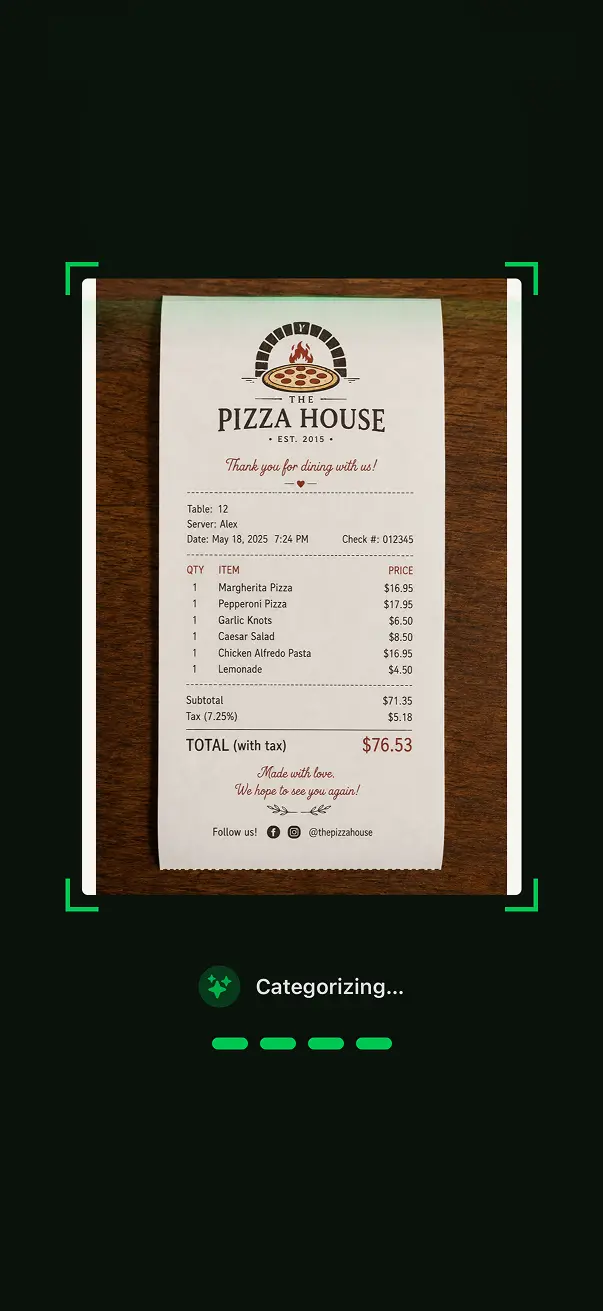
Snap a photo or upload a PDF. BuddyPay's AI lists everything on the bill, so all you do is pick who had what.
Every item. Each dish and drink, with its quantity and price. No typing.
Tips and service charges. Tips, service charges and fees on the bill become their own lines, so you choose who shares them.
Discounts worked out. Each discount goes to the items it covers, so “50% off food” leaves the drinks alone.
Tap who had what. Pick the people for each item and BuddyPay works out each person's total.
BuddyPay vs Splitwise at a glance
What you get without paying, and what each paid plan adds.
| Feature | BuddyPay | Splitwise |
|---|---|---|
| Price to start | Free | Free |
| Expenses per day on the free plan | Unlimited | 4 |
| Split equally, by amount, by percentage or by shares | Included | Included |
| Split a bill item by item | Free | Pro |
| Currency conversion | Free | Pro |
| Receipt scanning | AI reads every item, tip and discount (Plus) | Scans and itemizes (Pro) |
| Add someone by name only, no email or phone | In the app: 2 per room free, unlimited with Plus | From the web app |
| Web app | Not available | Included |
| Paid plan | Plus: $3.99/month or $39.99/year in the US; price varies by country | Pro: price varies by country |
Competitor details checked in November 2026 on their official pages: Splitwise Help Center: What is Splitwise Pro? · Splitwise Help Center: adding someone without email or phone · Splitwise on the App Store
Where Splitwise is the better pick
- You add expenses from a computer. Splitwise has a web app; BuddyPay is iPhone and Android only for now.
- Splitwise Pro can import card transactions in some countries.
- Your group already has years of history in Splitwise and rarely adds more than four expenses a day.
Switching takes five minutes
There's no import yet, so start fresh and carry over what's still owed.
Check the balances in Splitwise
Settle up first if you can, or note who still owes whom.
Create a room and invite your group
Share the invite link in your group chat. Anyone without the app can be a virtual friend.
Carry over open balances
Add each one as an expense paid by the person who's owed, split by exact amount. Then keep going.
Splitwise vs BuddyPay: common questions
Straight answers before you switch.
Ready to split smarter?
Download BuddyPay for free and say goodbye to awkward money conversations.