Snap a receipt. Split it in seconds.
BuddyPay's AI reads any receipt and fills in the details automatically — merchant, items, and total — so splitting the bill is a tap, not a calculator session.
How receipt scanning works
From snap to split in three steps — no manual entry needed.
Snap or upload your receipt
Take a photo, pick from your gallery, or upload a PDF — BuddyPay handles all formats.
AI extracts everything
Merchant name, individual items, prices, and total — read and filled in automatically.
Assign and split
Choose who had what from the item list, and BuddyPay calculates each person's share.
See every step
A clean flow from camera to split — nothing in your way.
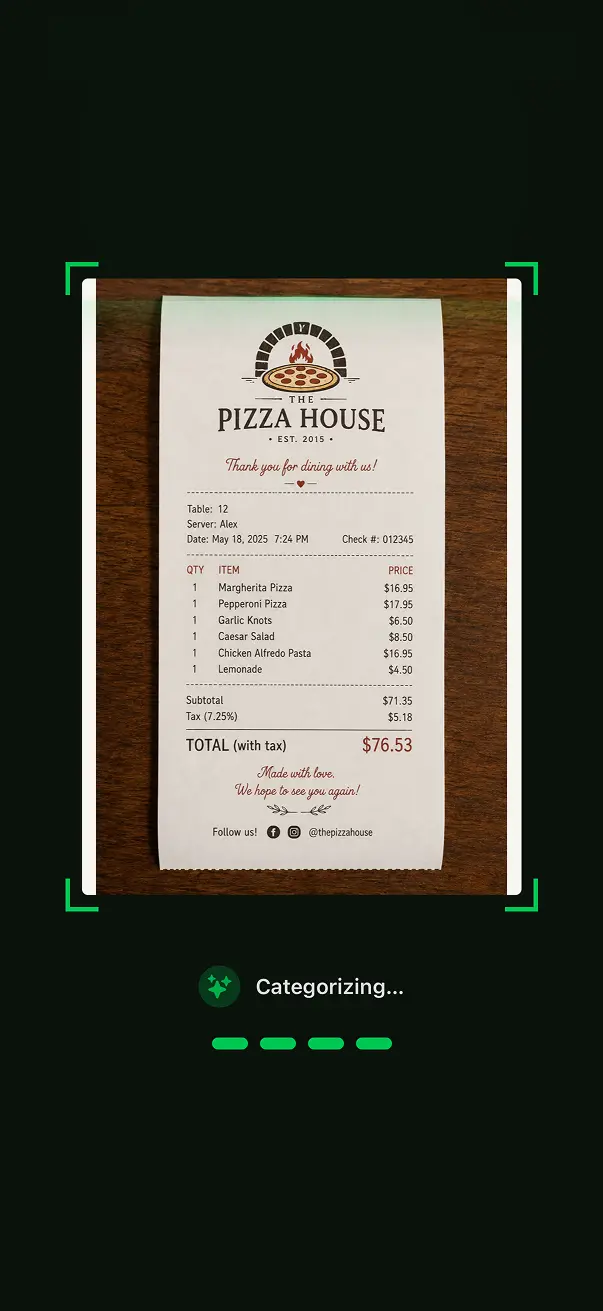
AI sweeps the receipt in real time
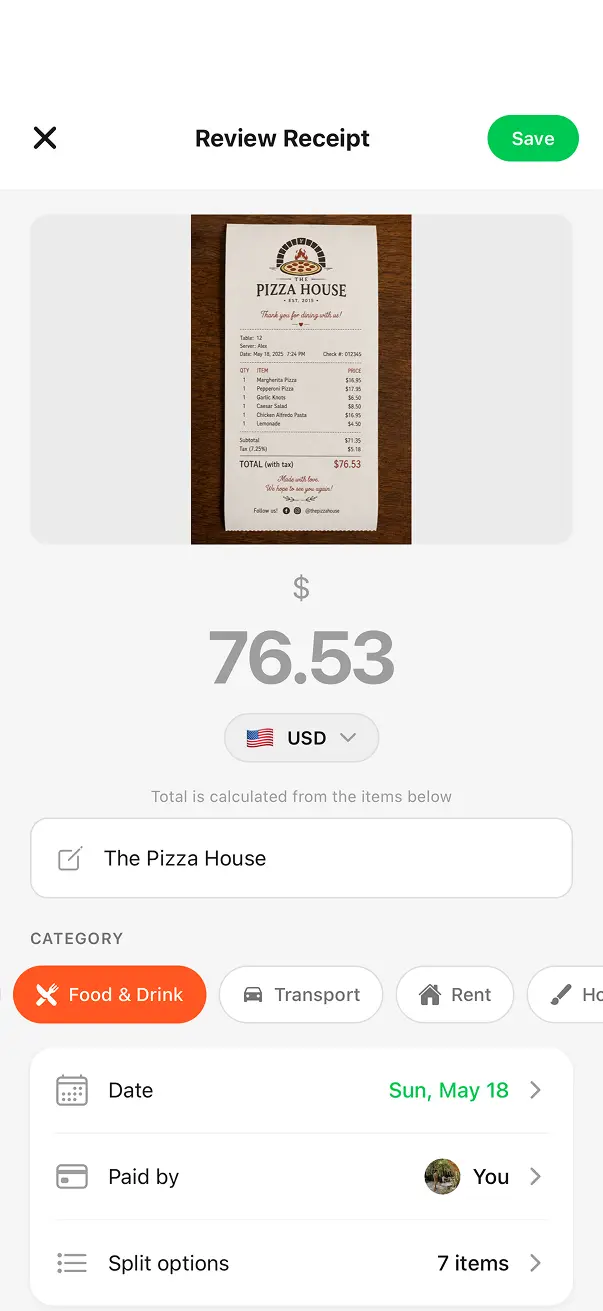
Merchant, total, currency — auto-filled and editable
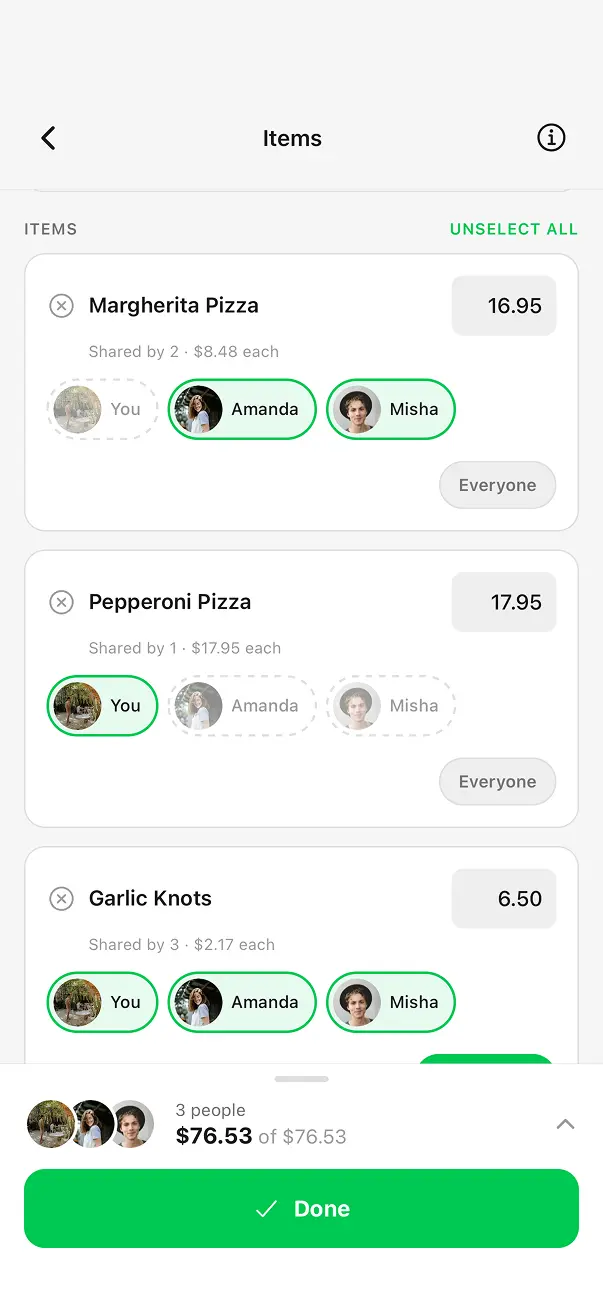
Assign each line item to the right person
Built to handle any receipt
From a pizza dinner to an international trip — the AI has you covered.
Smart Item Extraction
Every line item, quantity, and price is captured from the receipt — no manual typing required.
Photo, Gallery & PDF
Works with camera photos, images from your gallery, or uploaded PDF documents.
Auto-Categorization
AI detects the spending category — Food & Drink, Transport, Groceries — so you don't have to.
Multi-Currency
Automatically detects the receipt currency. Ideal for international trips with automatic conversion.
Receipt scanning questions, answered
Everything you need to know about scanning and splitting receipts with BuddyPay.
Ready to split smarter?
Download BuddyPay for free and say goodbye to awkward money conversations.