Split every expense exactly the way it makes sense.
Equal, by amount, by percentage, or item-by-item — four ways to split so every situation is handled fairly, with no calculator required.
Four ways to split
Pick the method that fits. Switch between them anytime.
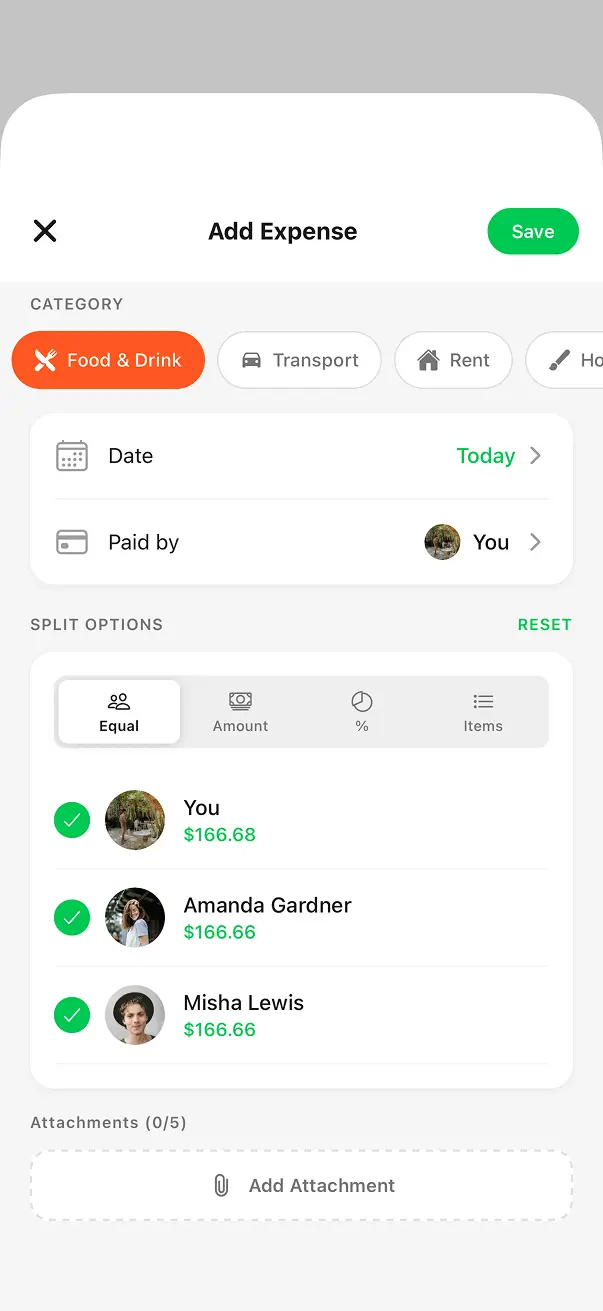
Split equally
One tap to divide an expense evenly across everyone in the group. BuddyPay handles rounding automatically so the total always adds up — no penny left unaccounted for.
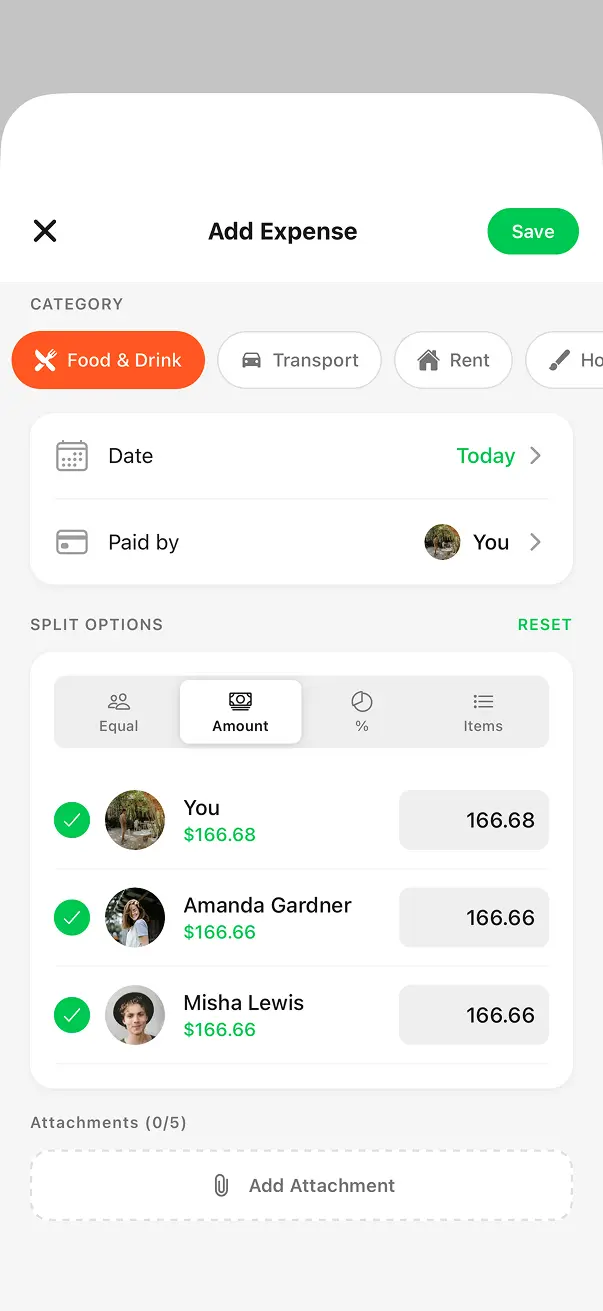
Set exact amounts
You paid $30, your friend owes $20? Type the exact dollar figure for each person. Great when the split is already decided and you just need to record it.
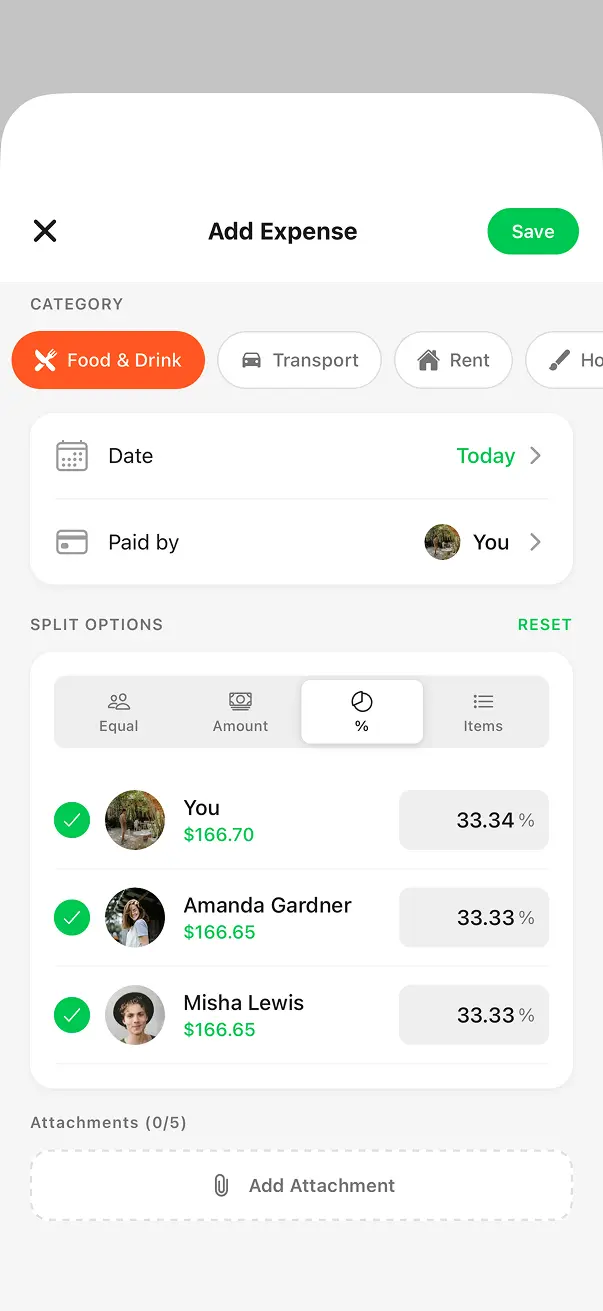
Assign percentages
Master bedroom, bigger share. Set a percentage for each person and BuddyPay calculates the exact amount every time — perfect for recurring expenses like rent.
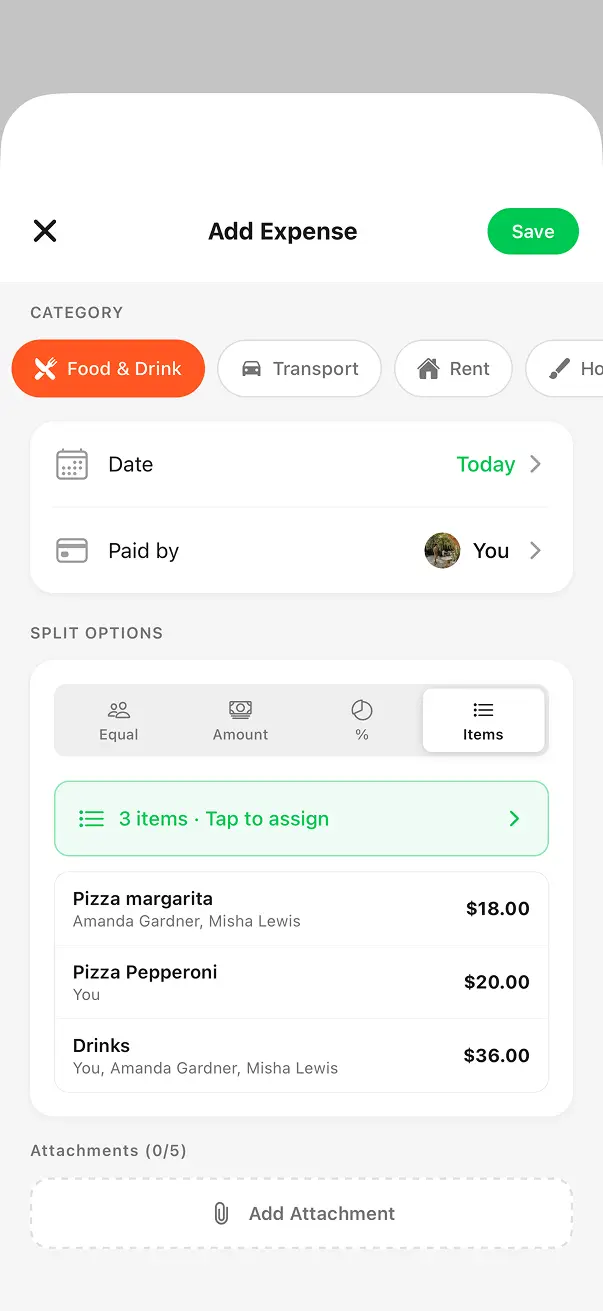
Split item by item
At a restaurant? Assign each dish to the people who ordered it. Add items, tap names, and everyone pays for exactly what they had — no debate, no mental math.
Built for every kind of expense
From a quick dinner to monthly rent — BuddyPay handles it all without the spreadsheet.
Any Group Size
Splits work with 2 people or 20. Add or remove members at any time and balances update instantly.
Switch Anytime
Change the split type on any expense whenever you like. Equal today, by item tomorrow — nothing is locked in.
Penny-Perfect
Rounding is handled automatically so the total always matches, down to the last cent.
Every Expense Type
Use a different method per expense — equal for rent, by item for dinner, by percentage for the master bedroom.
Splitting questions, answered
Common questions about BuddyPay's flexible split options.
Ready to split smarter?
Download BuddyPay for free and say goodbye to awkward money conversations.