All comparisons

The 5 best apps to split expenses with friends

We compared five popular apps on what your group actually gets for free. BuddyPay is our pick, and here's exactly why.

The five apps at a glance

What each one does best, and what the free plan gets you.

Five apps to split expenses, compared by what they're best for and what their free plan includes
AppBest forFree plan
BuddyPayMost groups: trips, roommates and dinnersNo limits, no ads, five ways to split
TricountGroups that never want a paid planNo limits, no ads, and no paid plan at all
SplidQuick trips with no sign-upsCore features free; extra groups and Excel export cost extra
Settle UpGroups with recurring costsFree with ads
SplitwiseAdding expenses from a computerUp to 4 expenses a day

Our ranking

The good parts and the catches of each app.

  1. 1. BuddyPay

    Our pick

    Best for: Most groups: trips, roommates and dinners

    The most you can do without paying: log everything, split it any way you like, and always see who owes who. Plus adds AI that reads your receipts.

    What's good

    • Unlimited rooms and expenses, with no daily limit
    • No ads on any plan
    • Five ways to split, free: equally, by amount, by percentage, by shares or item by item
    • With Plus, AI reads every item, tip and discount on a receipt, and you just tap who had what
    • Currency conversion, free, with the rate locked in when you add the expense
    • On iPhone and Android, in 13 languages

    Keep in mind

    • No web app or recurring expenses yet
    • AI receipt scanning needs Plus: $3.99/month or $39.99/year in the US; price varies by country
  2. 2. Tricount

    Best for: Groups that never want a paid plan

    Simple and completely free, with fewer ways to split a bill.

    What's good

    • Everything is free, with no ads and no limits
    • You can try it without creating an account
    • Currency conversion and offline use
    • Can import a Splitwise group

    Keep in mind

    • You split by amount, share or income, not by percentage
    • For a restaurant bill, you enter each person's amount by hand
    • Receipts are attached as photos, not scanned

    Why BuddyPay instead: Percentage and item-by-item splits on the free plan and, with Plus, AI that reads your receipts.

  3. 3. Splid

    Best for: Quick trips with no sign-ups

    Start a group in seconds with no account, even with no internet.

    What's good

    • No sign-up required
    • Works offline, with optional sync
    • More than 150 currencies, converted automatically
    • Unequal splits and several payers on one expense

    Keep in mind

    • Extra groups and Excel export are in-app purchases
    • Its store listing doesn't mention item-by-item splits or receipt scanning

    Why BuddyPay instead: Unlimited rooms for free, item-by-item splits and, with Plus, AI receipt scanning.

  4. 4. Settle Up

    Best for: Groups with recurring costs

    A solid tracker with recurring expenses, if you're happy to pay for them or put up with ads.

    What's good

    • Works offline
    • Several currencies on the free plan
    • CSV export on the free plan
    • Premium adds recurring expenses

    Keep in mind

    • The free version shows ads
    • Recurring expenses, receipt photos and statistics need Premium: $3.99/month or $19.99/year in the US

    Why BuddyPay instead: No ads for anyone, item-by-item splits on the free plan and, with Plus, AI that reads your receipts.

  5. 5. Splitwise

    Best for: Adding expenses from a computer

    The name many people know, but its free plan now stops you at four expenses a day.

    What's good

    • A web app as well as iPhone and Android apps
    • Your friends may already have it
    • Pro can import card transactions in some countries

    Keep in mind

    • The free plan allows 4 expenses a day
    • Currency conversion, item-by-item splits and receipt scanning need Pro

    Why BuddyPay instead: No daily limit, plus currency conversion and item-by-item splits on the free plan.

BuddyPay is our app. We ranked these by what a group gets for free, using details from each app's official pages.

Details about the other apps checked in November 2026 on their official pages: tricount.com · Splid on the App Store · splid.app · Settle Up on the App Store · Splitwise Help Center: What is Splitwise Pro?

With BuddyPay Plus

AI that reads the whole receipt

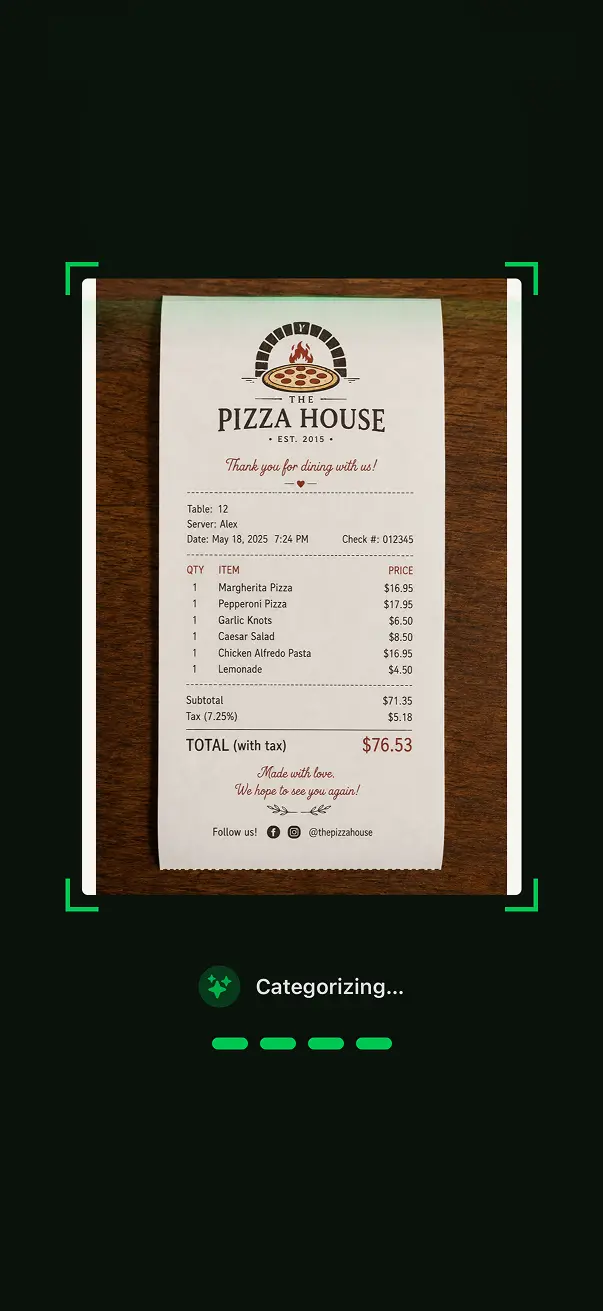
Snap a photo or upload a PDF. BuddyPay's AI lists everything on the bill, so all you do is pick who had what.

  • Every item. Each dish and drink, with its quantity and price. No typing.

  • Tips and service charges. Tips, service charges and fees on the bill become their own lines, so you choose who shares them.

  • Discounts worked out. Each discount goes to the items it covers, so “50% off food” leaves the drinks alone.

  • Tap who had what. Pick the people for each item and BuddyPay works out each person's total.

See how receipt scanning works
BuddyPay AI scanning a restaurant receipt with animated sweep line

Common questions

Short answers to help you choose.

Ready to split smarter?

Download BuddyPay for free and say goodbye to awkward money conversations.